Introduction
In this tutorial we will give a quick overview of how PBOs work on Linux. The missions are readable only when they are compressed in (.pbo).
What you need to do
First, you need to download Arma3 Tools on Steam which content PBO Manager. You can also download directly PBO Manager via Armaholic.
Download your mission file on your FTP (
arma3\mpmission\YOUR_MISSION.pbo) .Right click on your file then then
pbo manager->extract to YOUR_MISSION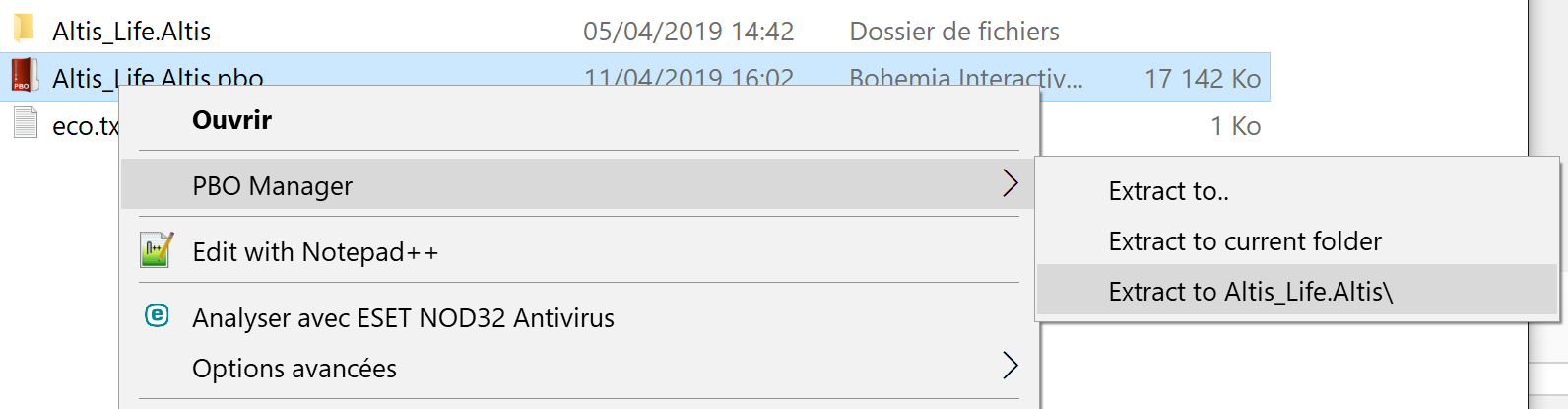
Once modifications are done, you need to reconvert
right click->pbo manager->pack into YOUR_MISSION.pbo. Be sure to selectpboand notifa.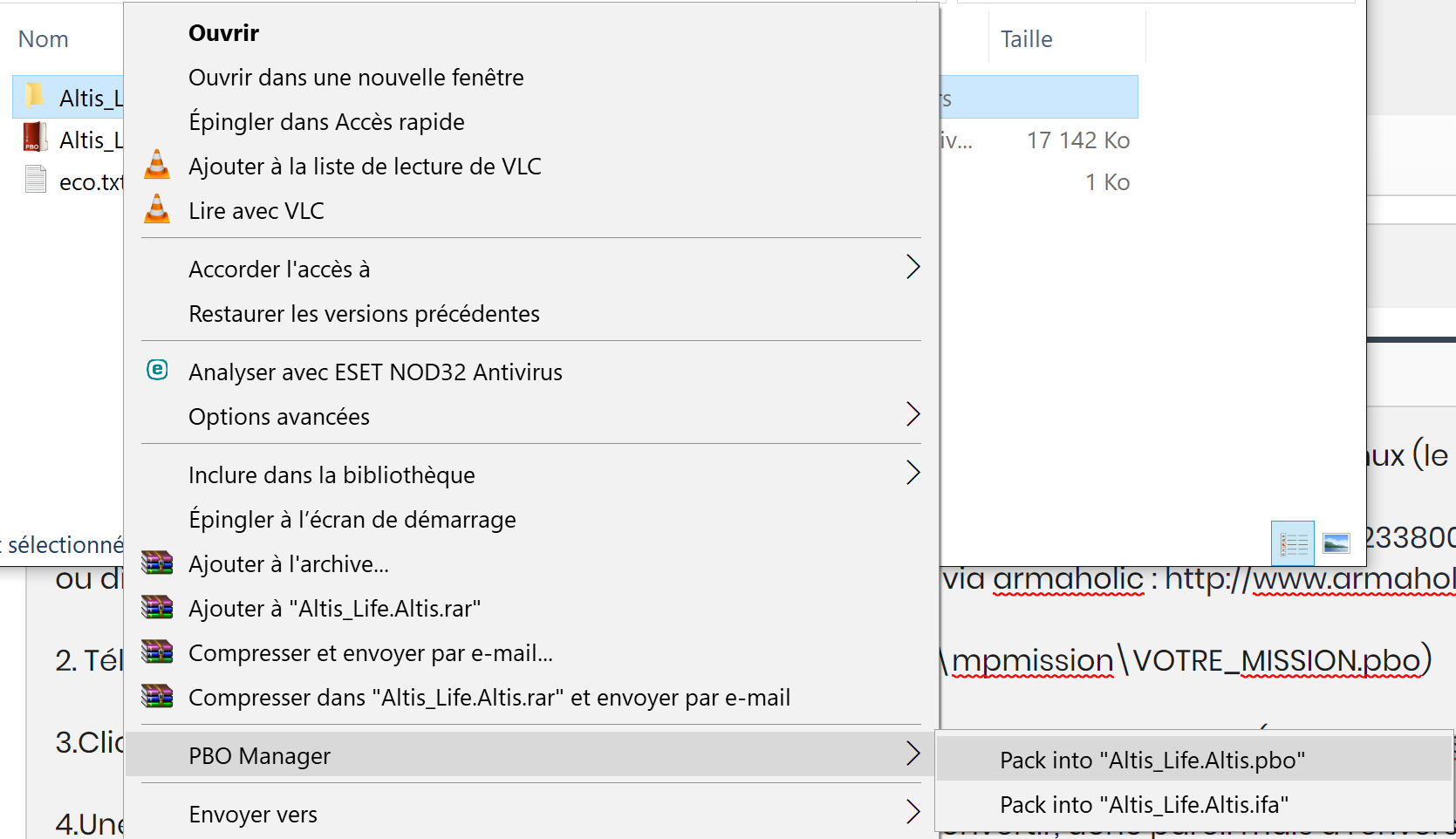
Upload your file, then restart your server.
Troubleshooting: If the file does not compress into .pbo but in .pak, it means that you already haveYOUR_MISSION.pbo present in the file and the manager does not know how to create duplicates.